
Installation hub
How to Install IPTV: Choose Your Device
This page shows how to install IPTV: you pick a player app that runs on your device and add the login you chose at checkout. The steps depend on the device, so choose yours below. Each guide checks what your device supports before it tells you to install anything.
Editorial review: 30 October 2026. The Smart TV, Formuler, Firestick, Android TV, Apple TV and Windows/Mac guides were rebuilt from official vendor pages; the Android phone and Roku guides are being updated.

Step 1
How to Install IPTV on Your Device
Use the guide that matches your hardware. Mixing instructions from different systems is the most common reason a setup fails.
Firestick and Fire TV
For Fire TV devices that run Fire OS; newer Vega OS devices are not covered. Setup guide →
Android TV and boxes
For Android TV, Google TV and Android boxes. Setup guide →
Smart TV
For Samsung, LG and other smart TVs. Setup guide →
Apple TV
For Apple TV, through the App Store. Setup guide →
Formuler
For Formuler boxes that use MYTVOnline. Setup guide →
Windows and Mac
For computers, with VLC, Kodi or a Mac App Store option. Setup guide →
Android phone
Setup steps for Android phones and tablets. Setup guide →
Roku
Screen mirroring and AirPlay options for Roku. Setup guide →
Players
Our Preferred Players by Device
These are third-party apps, so availability depends on your device model, software version and region. Each guide explains how to check.
Samsung and LG TVs
HOT Player, with IBO Player as the alternative.
Android TV and Google TV
TiviMate, with HOT Player as the alternative.
Fire TV (Fire OS)
TiviMate, with HOT Player as the alternative.
Apple TV
HOT Player, with IBO Player Pro as the alternative if you chose M3U.
Formuler
MYTVOnline, Formuler’s own app.
Windows and Mac
VLC or Kodi on both; HOT Player on a Mac.
Player apps are separate software. Any licence, activation or subscription an app asks for comes from its developer, not from us, and is separate from your streaming subscription. IPTV Smarters Pro is no longer one of our recommended players.
Step 2
Which Login Type Do You Need?
At checkout you choose M3U or Xtream Codes. The player you use decides which one fits.
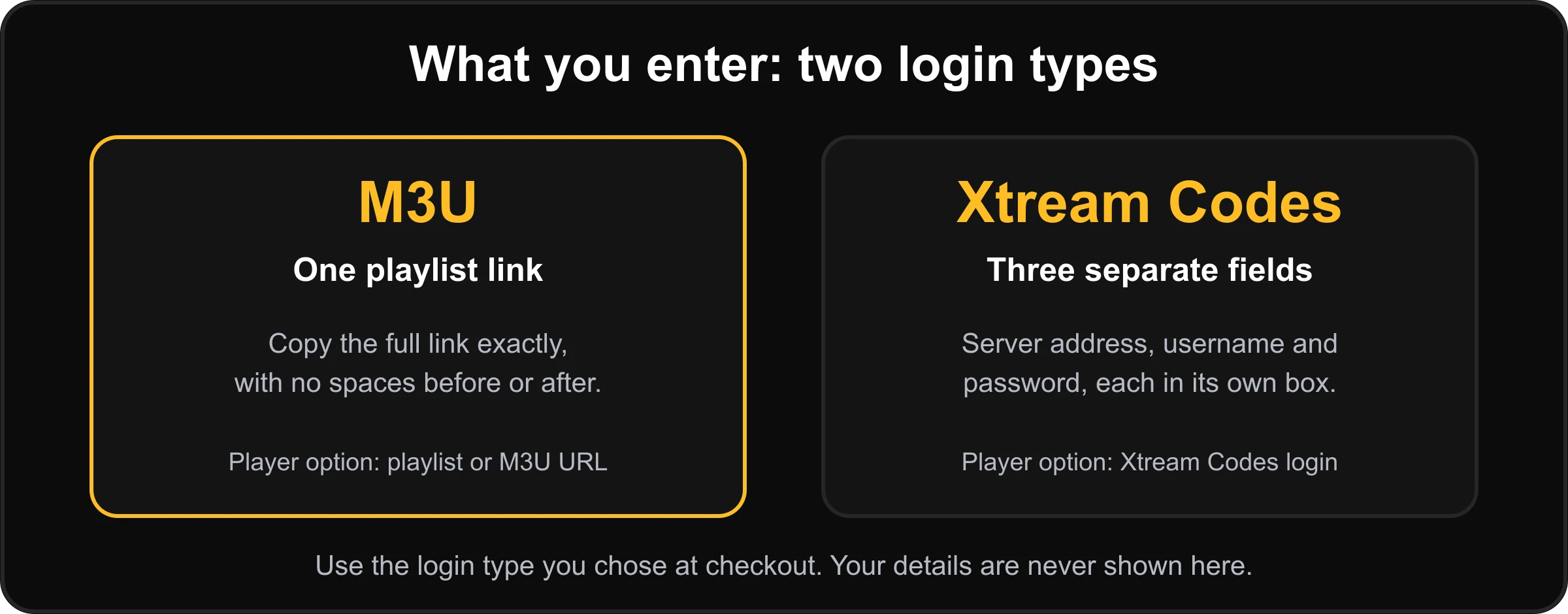
M3U
One playlist link. VLC, Kodi and IBO Player Pro take M3U. HOT Player’s listings mention M3U and M3U8 links.
Xtream Codes
A server address, a username and a password. HOT Player’s Apple TV and iPhone listing mentions Xtream Codes accounts. Check the player’s own page for the login types it accepts.
The basic idea
How to Install IPTV in Three Steps
The menus change from device to device, but the setup is always the same three tasks.
Install a compatible player
Choose a player that is genuinely available for your device. The apps on Fire TV, Android TV, Apple TV, Roku and smart TV systems are not the same.
Add your login
Open the player and find its playlist or login section. Enter the details exactly: your connection details will be provided after your order has been processed.
Save, load and test
Save, wait for the channel list to load, then open a few channels to confirm that the player and your connection work.
Be sure first
What These Guides Do Not Cover
We would rather say so than send you to an app that will not work.
MAG boxes
MAG boxes are not supported.
Fire TV on Vega OS
Newer Fire TV sticks that run Vega OS are not covered by the Firestick steps.
Dreamlink
We have not verified Dreamlink menus against official documentation.
A Windows store app
We do not recommend one yet; VLC and Kodi are the routes we support on Windows.
TiviMate off Android
TiviMate is an Android application, so it is not a choice on Samsung, LG, Apple TV or computers.
IPTV Smarters Pro
No longer recommended; our guides have no steps for it.
If something goes wrong
Install Problems: Where to Look First
Find which part is failing before you remove the app or start again.
The login is rejected
Compare each field with your details: a missing character, an extra space or the wrong login type can stop an account from loading.
No channels or guide
Give the first load time. Programme guide data can load separately from the playlist, so check the player’s guide refresh option.
The stream pauses
See the buffering and freezing guide.
Android connection trouble
Google provides Wi-Fi connection troubleshooting guidance for Android devices.
Ordering questions
Read the answers to common questions.
Still stuck
Message us with your order number and your device. Contact us.
Questions
How to Install IPTV: Common Questions
Is there one IPTV player that works on every device?
No. Different systems have different app stores and compatibility rules, which is why each device has its own guide. A player is named only for the devices where we have checked it.
Which guide should I start with?
The one for the device you will watch on most. If you are not sure, use the free trial to test your setup before you choose a longer plan.
Should I choose M3U or Xtream Codes?
You choose when you order. Some players take only an M3U playlist link: VLC and Kodi on a computer, and IBO Player Pro on Apple TV, according to their own pages and listings. Each guide says which login type fits.
How many screens can I watch on at once?
The checkout lets you select 1 to 5 simultaneous connections; one is included and the extra cost is shown before you pay. A connection is a screen streaming at the same moment, which is separate from how many devices have a player installed.
Do the player apps cost extra?
Some player apps ask for a licence, activation or subscription from their developer. That is separate from your streaming subscription, is not provided by us, and its terms and price are set by the developer. Check each app’s own listing for current terms.
Are MAG boxes supported?
No. MAG boxes are not supported.
Next step
Now You Know How to Install IPTV
Pick your device guide if you already have access details. To test compatibility first, try the free trial or compare the plans.
What is IPTV?
A plain explanation of how it works.
Buffering and freezing
Fix playback problems once you are set up.
Questions and answers
Ordering, payment and devices.